
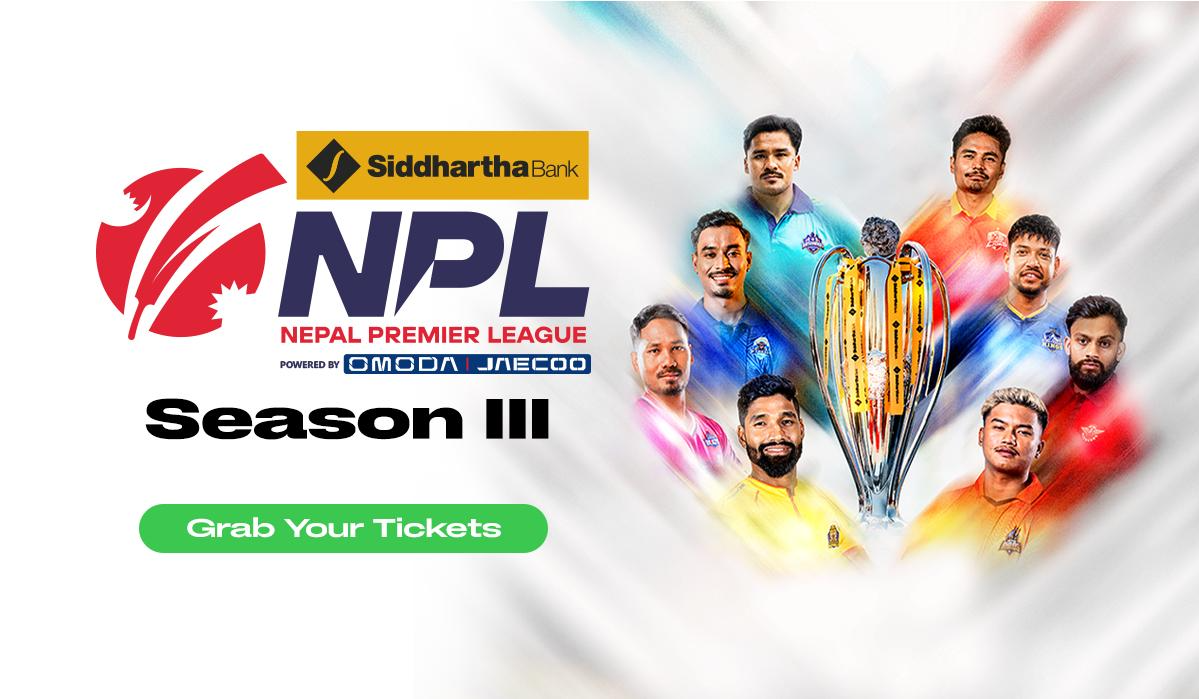
The wait is almost over, cricket fans! Nepal Premier League (NPL) Season 3 is back, bringing another season of thrilling cricket, fierce competition, unforgettable moments, and the unmatched excitement of cheering for your favourite team from the stands.
From October 26 to November 21, 2026, the Tribhuvan University International Cricket Ground in Kirtipur will host 32 matches featuring the excitement, passion, and competitive spirit that make Nepal cricket special.
Whether you're planning to watch a particular match, support your favourite team throughout the tournament, or experience the electric atmosphere of live cricket with your friends and family, NPL Season 3 is your chance to be part of something special.
And with eSewa as the official ticketing partner of NPL, getting your ticket to the action is easier than ever. From booking individual match tickets to purchasing a Season Pass for all matches covered by the pass, you can plan your NPL experience right from the eSewa app.
So, get ready to cheer louder, celebrate every boundary, and experience the excitement of NPL live!
Your NPL Experience Starts with eSewa
There's something special about watching cricket live. The roar of the crowd after a six, the anticipation before a crucial delivery, the excitement of a close finish, and the celebrations when your favourite team wins are moments best experienced in the stadium.
This season, eSewa makes it convenient for fans to secure their place in the stands. You can explore available matches, check ticket categories and prices, and complete your booking online.
Whether you're planning a spontaneous matchday with friends or organising your cricket calendar for the entire tournament, eSewa brings your ticket-booking experience together in one place.
Here's how you can book your NPL tickets:
- Open the eSewa app: Log in to your verified eSewa account and navigate to the NPL Tickets section.
- Choose your match: Browse the available matches and select the one you want to watch live.
- Select your ticket category: Review the available ticket categories and prices before making your selection.
- Complete your payment: Proceed with the payment to confirm your booking.
- Access your ticket: Once your booking is successful, find your digital ticket on the confirmation page or in the My Tickets section of NPL Tickets. A copy will also be sent to your registered email address.
It's that simple! With your ticket ready on your phone, you can focus on planning your matchday and getting ready to cheer for your team.
One Pass. All the Matches. A Whole Season of Cricket!
Are you the kind of cricket fan who doesn't want to miss a single match? Do you want to follow the tournament from the opening game to the final showdown?
Then the NPL Season Pass could be just what you're looking for!
Instead of booking individual tickets for each match, you can purchase a single Season Pass that provides access to all matches covered by the pass. It's an option worth exploring for dedicated fans who want to make the most of the NPL season.
With 32 matches scheduled throughout the tournament, there's plenty of cricket to look forward to. From exciting opening encounters to high-pressure contests and the ultimate battle for the title, the Season Pass lets you plan for a tournament full of action.
Here's why you might want to consider the Season Pass:
- One pass for the season: Purchase a single season pass for access to all matches covered by the pass.
- Plan your cricket calendar: Make it easier to plan which matchdays you want to attend throughout the tournament.
- Stay close to the action: Enjoy more of the competition, the atmosphere, and the moments that make NPL special.
- Book conveniently through eSewa: Explore the Season Pass option in the NPL Tickets section of the eSewa app.
Whether you're a passionate supporter of a particular team or simply love the excitement of live cricket, the Season Pass offers a convenient way to plan your tournament experience.
Before purchasing, review the Season Pass details in the eSewa app to confirm its price, coverage, and applicable conditions.
Make It a Matchday to Remember
Watching NPL live is more than just watching a cricket match. It's about sharing the excitement with fellow fans, celebrating every run, and creating memories with the people you bring along.
Planning ahead can help you enjoy the experience from the moment you leave home until the final ball is bowled.
Here are a few things to keep in mind before heading to the stadium:
- Book early: Ticket availability may change as bookings are made. Check the eSewa app for available matches and ticket categories before making your plans.
- Keep your digital ticket handy: You don't need to print your ticket. Simply show your digital ticket and QR code at the designated box offices for scanning.
- Arrive on time: Stadium gates generally open approximately 2.5 hours before the match starts. However, opening times may change, so check the latest instructions before leaving.
- Follow the entry instructions: Use the entrance specified on your ticket and follow the directions provided by stadium staff.
- Check the stadium rules: Items such as outside food, bottles, power banks, laptops, fireworks, and other restricted or hazardous items may not be permitted inside the stadium. Review the latest stadium guidelines before arriving.
- Stay updated: Match dates, timings, venues, and seating arrangements may change. Check the NPL ticketing section in the eSewa app and official NPL channels for the latest information.
A little preparation goes a long way in helping you spend less time worrying about the arrangements and more time enjoying the cricket.
NPL Ticketing FAQs: Everything You Need to Know
Have questions before booking your tickets? Here are some important things to know before you get ready for NPL Season 3.
1. How can I book tickets for NPL matches?
Booking your NPL tickets is easy with eSewa. Open the eSewa app, navigate to the NPL Tickets section, select your preferred match and ticket category, review the price, and complete the payment. Once your booking is successful, your digital ticket will be available in the My Tickets section and on the confirmation page.
2. Can I book tickets for multiple matches?
Yes! You can book tickets for multiple matches, subject to availability and applicable booking limits. You can book up to five tickets per match from your eSewa account. If you plan to attend matches throughout the tournament, you can also explore the NPL Season Pass for access to all matches covered by the pass.
3. What is the NPL Season Pass?
The NPL Season Pass allows you to purchase a single pass for access to all matches covered by the pass. It's an option for fans who want to follow the tournament throughout the season instead of booking individual match tickets. Check the Season Pass details in the eSewa app for its price, coverage, and applicable conditions.
4. Do I need an eSewa account to book NPL tickets?
Yes. You need an eSewa account with verified KYC to book NPL tickets. If you haven't completed your KYC verification yet, make sure to do so before booking to avoid delays.
5. How will I receive my ticket after booking?
Once your payment and booking are completed successfully, your ticket will appear on the booking confirmation page and in the My Tickets section of NPL Tickets. A copy will also be sent to your registered email address. Keep your digital ticket accessible so you can present it at the stadium entrance.
6. Can I choose my seat while booking?
You can choose from the available stadium zones, but you cannot select an exact seat during booking. If your ticket specifies an assigned zone, make sure you occupy the designated zone. Free seating, where applicable, is available on a first-come, first-served basis within the designated zone.
7. Can I cancel my ticket or get a refund?
Confirmed tickets cannot be cancelled. Refunds are available only if a match is cancelled or abandoned before a single ball is bowled in any match at the stadium that day. Applicable administration fees may be deducted. Review the ticketing terms and conditions before completing your booking.
8. Can I enter the stadium using a digital ticket?
Yes! You can show your digital ticket on your phone at the designated box offices. Present the ticket with its QR code clearly visible for scanning. Each ticket is generally valid for one person and permits one entry. Re-entry is not permitted unless specifically authorised by the organiser and subject to its procedures.
Don't Miss Out on the NPL Action!
The countdown to NPL Season 3 has begun, and the excitement is building. With 32 matches, passionate supporters, and plenty of cricket to look forward to, this is your opportunity to experience the tournament up close.
Whether you're booking a ticket for one big match, planning a cricket day out with friends, or choosing the Season Pass to follow the action throughout the tournament, eSewa makes it convenient to secure your place in the stands.
Don't wait until the excitement is already underway. Open your eSewa app, explore the available matches, and get your tickets ready!
Book your NPL tickets or purchase your Season Pass on eSewa today.