Travelling through the Nagdhunga Tunnel is set to become more convenient with N-Tag, an electronic toll collection system developed by Roads Board Nepal (RBN).
Using Radio Frequency Identification (RFID) technology, N-Tag enables electronic toll payments by identifying registered vehicles at designated toll plazas, reducing the need for manual cash transactions.
In this guide, learn how to register your vehicle through the official N-Tag Portal, where to get your N-Tag, and how to recharge it through eSewa.
What Is N-Tag?
N-Tag is an RFID-based electronic toll collection system that allows registered vehicles to make cashless toll payments at designated toll plazas.
Once the tag is issued, affixed to the vehicle's windshield and activated, it can be scanned at N-Tag-enabled toll lanes to facilitate electronic toll payments.
Benefits of N-Tag
- Cashless Payments: Pay toll charges electronically without relying on cash.
- Faster Toll Collection: Helps reduce waiting time at toll plazas.
- Easy Identification: Identifies registered vehicles using RFID technology.
- Convenient Management: Register and manage vehicle details through the N-Tag Portal.
How to Register for N-Tag Through the N-Tag Portal
To register your vehicle for N-Tag, visit the official N-Tag Portal at https://ntag.rbn.org.np/ and follow these steps.
Step 1: Access the N-Tag Portal
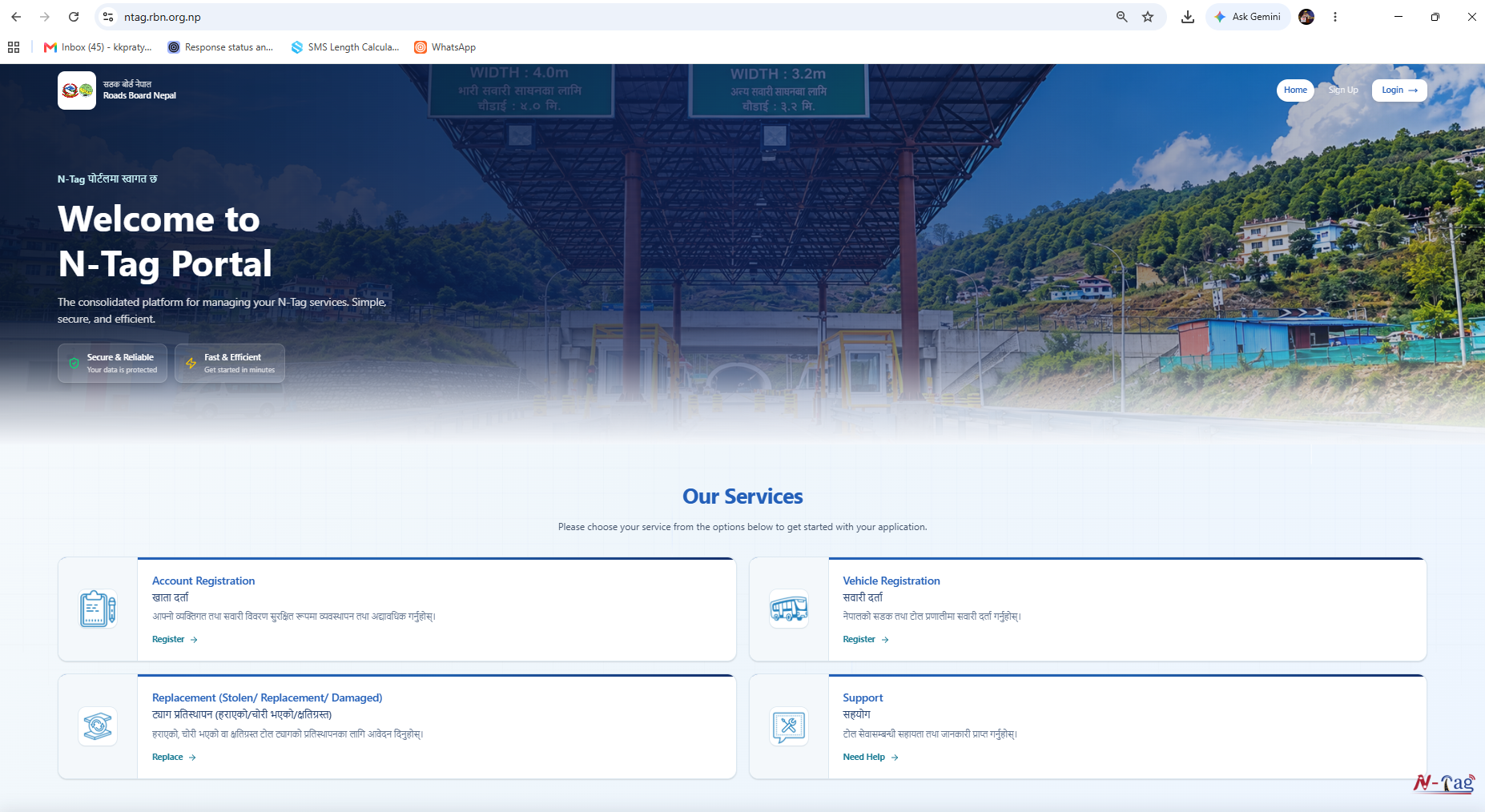
Open https://ntag.rbn.org.np/ in your browser and click on Sign Up to create a new account. Existing users can select Login.
Step 2: Select Your Registration Type
Choose the appropriate registration type:
- Individual: For vehicles registered under a personal name.
- Organization: For vehicles registered under a company or institution.
Step 3: Enter Your Contact Details
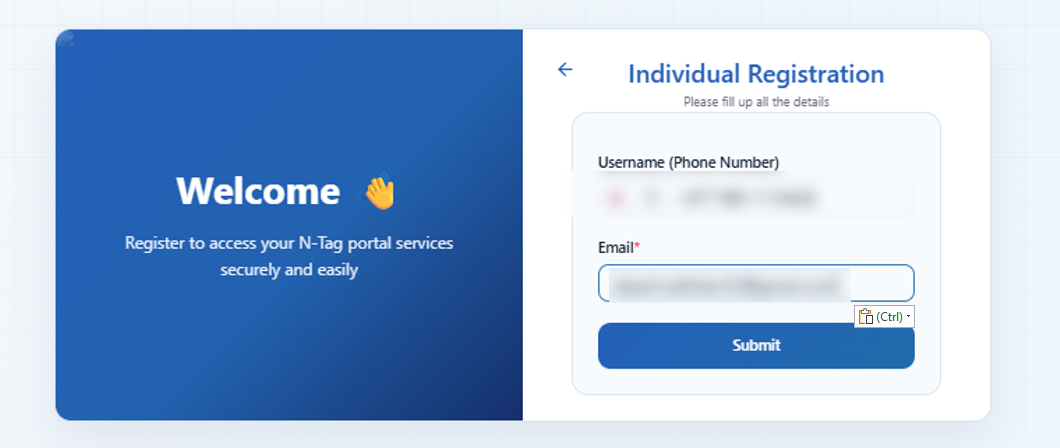
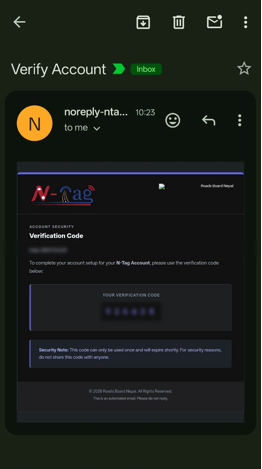
Provide your mobile number and email address, then click Submit. A temporary password will be sent to your registered email address.
Step 4: Create a New Password
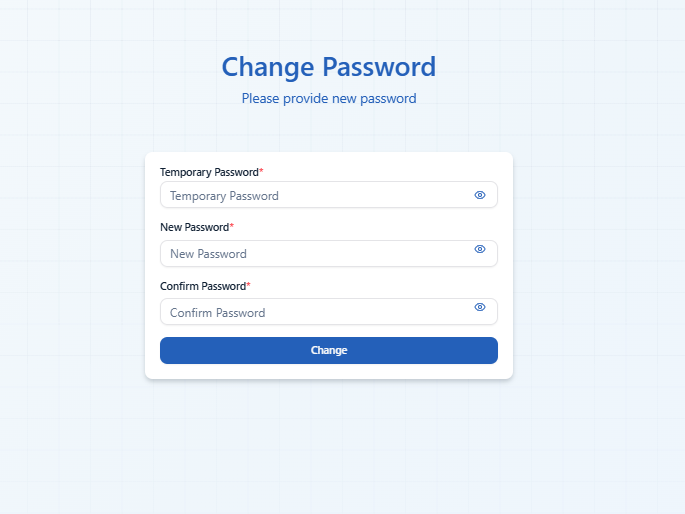
Enter the temporary password received in your email. Once verified, create a new password by filling in the New Password and Confirm Password fields. Click Change to save it.
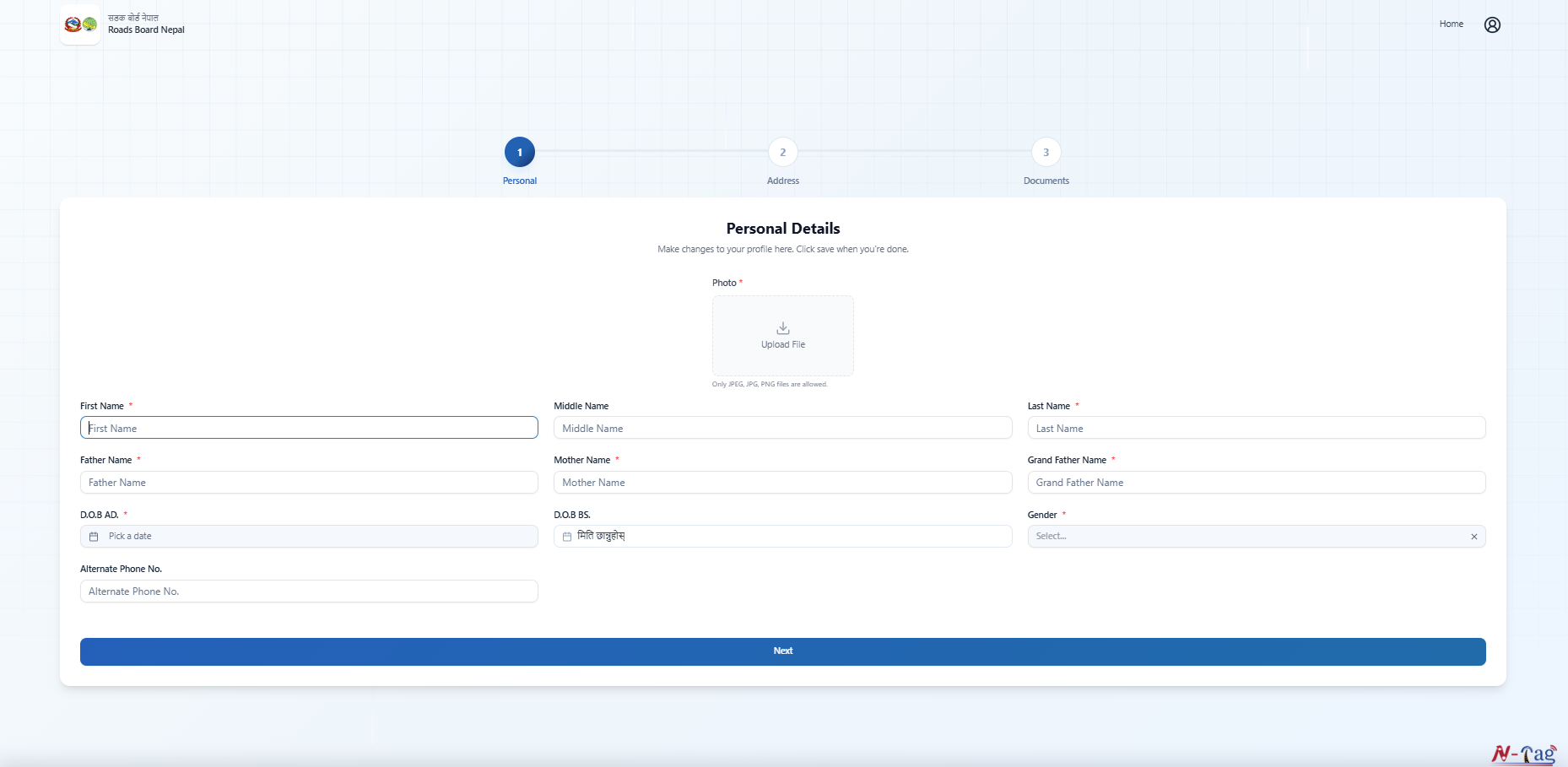
Step 5: Complete Your Personal Details
Log in using your registered mobile number and new password.
Upload your recent photograph and enter the required personal information, including your name, parents' names, date of birth, gender and alternate contact number. Click Next to proceed.
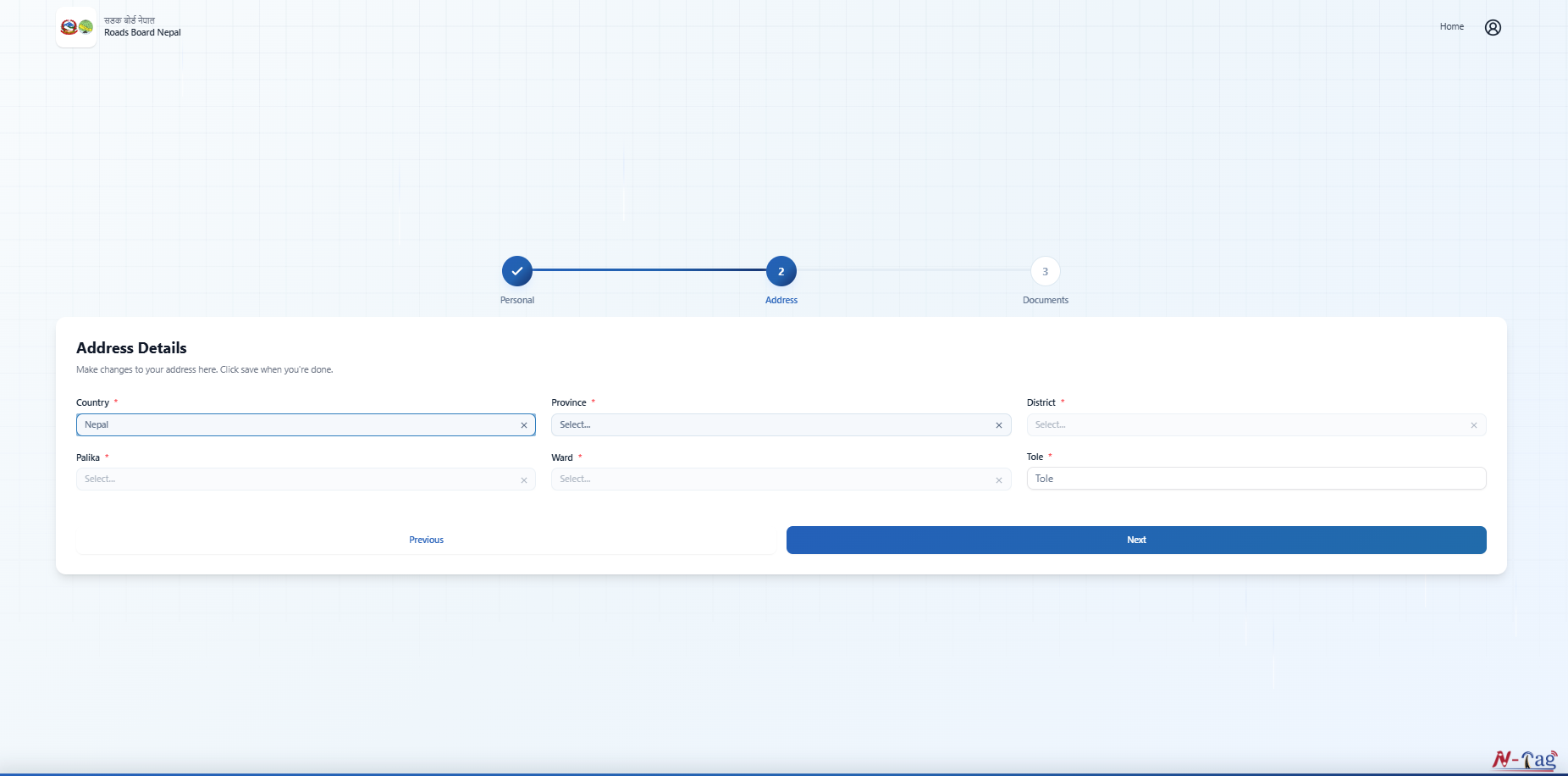
Step 6: Enter Your Address Details
Select your Province, District, Palika and Ward Number. Enter your Tole and click Next after verifying your details.
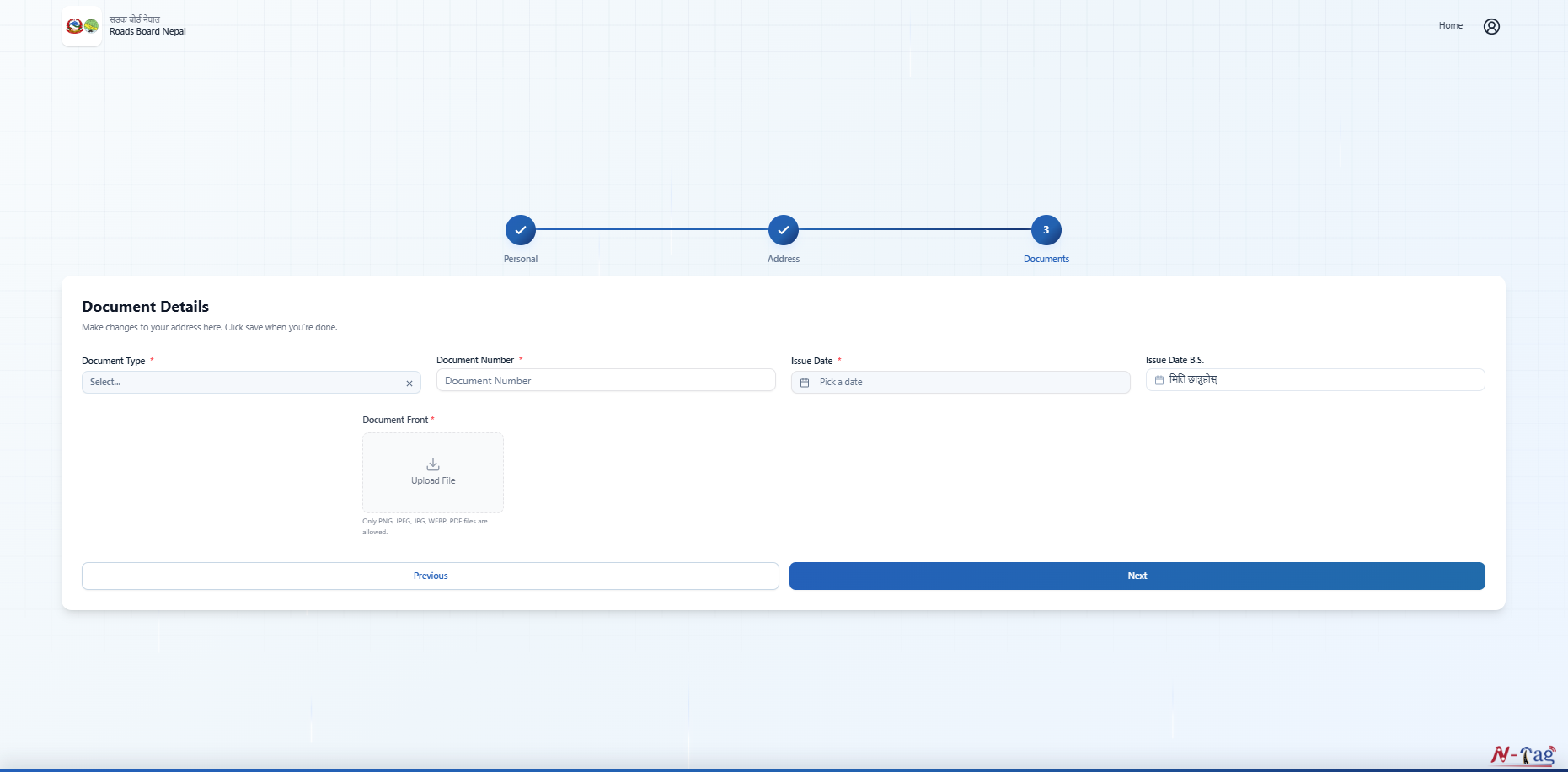
Step 7: Upload Your Identification Documents
Select the appropriate Document Type, enter your Document Number and Issue Date, and upload a clear copy of the required identification document. Click Next to continue.
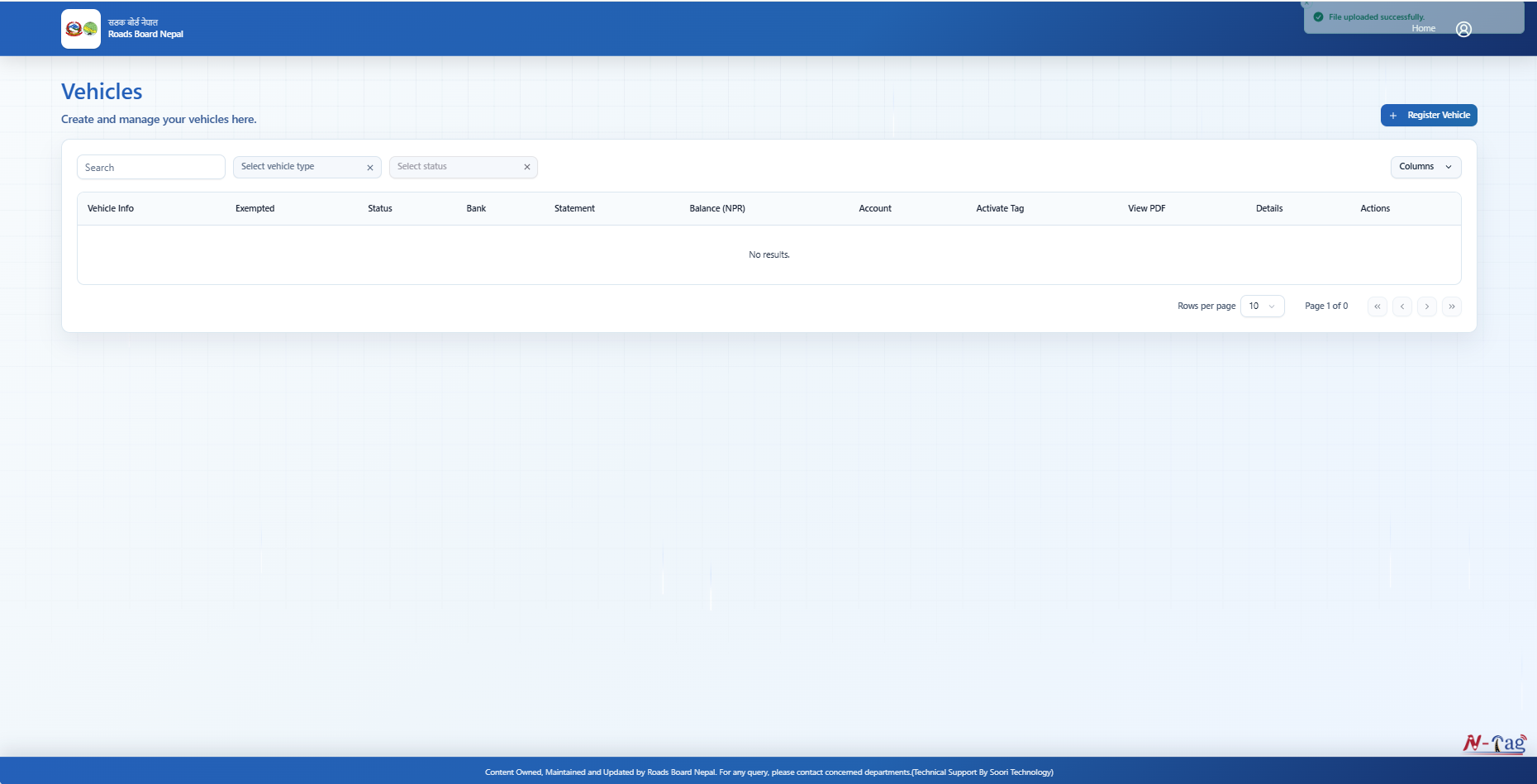
Step 8: Open the Vehicle Registration Section
After completing your personal profile, you will be redirected to the Vehicles dashboard. Click on Register Vehicle at the top-right corner to open the vehicle registration form. Enter the required details, including Vehicle Type, Registration Date, Vehicle Color, Engine Number, Chassis Number, Fuel Type, Brand Name and Year of Manufacture. If your vehicle is under financing, select the applicable financing option. Review the information to ensure it matches your vehicle registration document (Bluebook) before proceeding.
Step 10: Upload Vehicle Documents and Submit
Enter the required vehicle number information and upload the supporting documents requested by the portal.
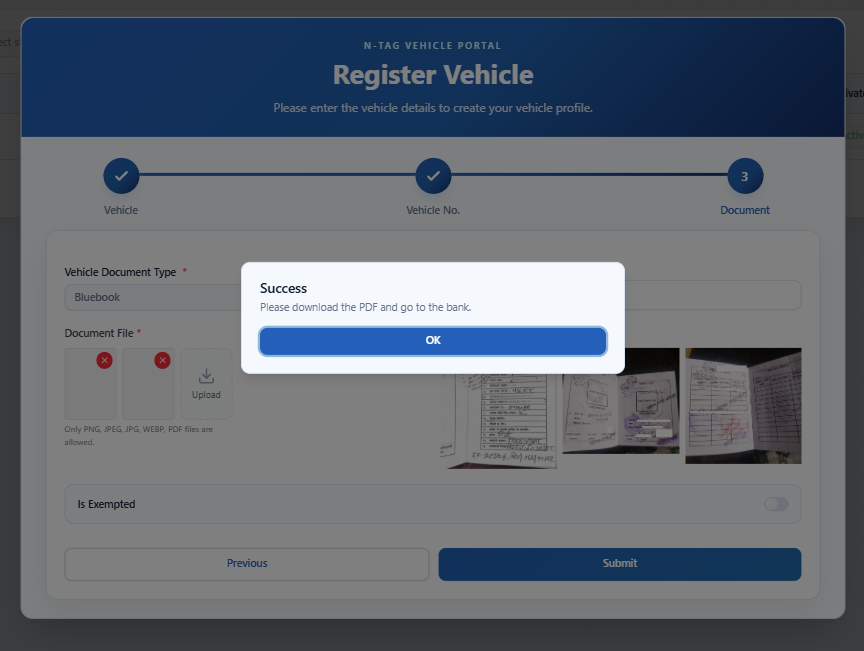
Review all the details and click Submit to complete your vehicle registration.
Step 11: Download Your Registration PDF
Once your vehicle registration is successfully submitted, download the generated registration PDF and keep it for future reference.
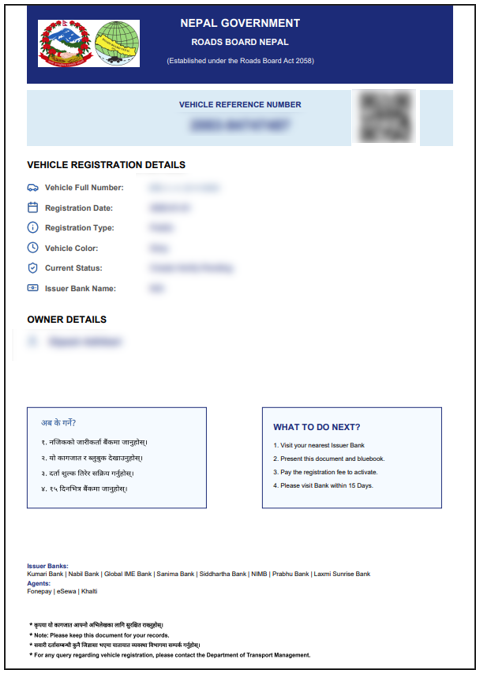
You will need this document during the N-Tag verification and issuance process.
Step 12: Visit an Authorized N-Tag Distribution Point
Visit an authorized N-Tag distribution point with your downloaded registration PDF and required supporting documents.
The representative will verify your details, issue the N-Tag and collect the applicable fee. Photographs of your vehicle and the N-Tag affixed to its windshield may also be taken for verification.
Step 12: Visit an Authorized Agent and Activate Your N-Tag
Visit an authorized N-Tag agent assigned by eSewa with your downloaded registration PDF and required supporting documents. The representative will verify your details, issue the N-Tag and collect the applicable fee. Photographs of your vehicle and the N-Tag affixed to its windshield will also be taken for verification.
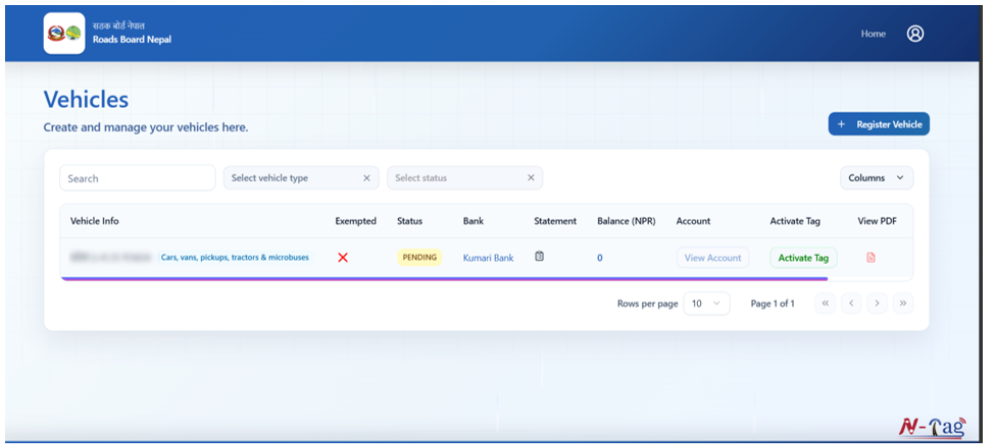
Once the verification is complete, you will receive an activation email at your registered email address. Log in to the N-Tag Portal or mobile application, go to the Vehicles dashboard and click Activate Tag to complete the activation process. Your N-Tag will then be ready for use at participating toll plazas.
Where Can You Get an N-Tag?
You can collect your N-Tag from the following authorized eSewa locations and agents:
Kathmandu Valley
- B and B Communication and Cyber
Kalanki, Kathmandu
Contact: 9851088677
- Om Sai Buddha Tours & Travels
Swayambhu, Kathmandu
Contact: 9851014232
- eSewa Building (Bagmati Province)
Pulchowk, Lalitpur
Toll-Free: 1660-01-02101 (NTC Only) / 1810-21-02121
Other Provinces
- Biratnagar Branch (Koshi Province)
Mahendra Chowk, Biratnagar, Morang
Tel: 021-517535
- Pokhara Branch (Gandaki Province)
New Road Complex, 3rd Floor, Pokhara
Tel: 061-589366
- Butwal Branch (Lumbini Province)
Puspalal Park, Hospital Line, Rupandehi
4th Floor, National Path Lab Building
- Nepalgunj Branch (Lumbini Province)
Dhambojhi Chowk, Surkhet Road, Nepalgunj, Banke
Opposite Western Mall
Tel: 081-530112
- Chitwan Branch (Bagmati Province)
Sahid Chowk, Press Marg, Narayanghat, Chitwan
2nd Floor, Digibikash Sahakari Building
Tel: 056-536789
Please contact the respective location before visiting to confirm N-Tag availability and applicable charges.
How to Recharge Your N-Tag Through eSewa
You can conveniently recharge your N-Tag balance through eSewa, without having to visit a physical recharge point, provided your N-Tag recharge service is supported.
Follow these steps to recharge your N-Tag through eSewa:
- Login to eSewa app.
- Go to 'Travels & Ticketing' section.
- Under Travels, select N-TAG Topup.
- Enter your N-TAG details as requested.
- Enter the desired top-up amount.
- Verify the details and tap Proceed.
- Confirm the payment using your eSewa MPIN/Biometrics.
Once the transaction is successful, your N-Tag balance will be updated according to the service's processing procedure.
Note: Always verify your N-Tag details and recharge amount before confirming the transaction.
Frequently Asked Questions About N-Tag
1. What is the official website for N-Tag registration?
The official N-Tag Portal is https://ntag.rbn.org.np/, managed by Roads Board Nepal.
2. Can I register my vehicle online?
Yes. You can create an account and register your vehicle through the official N-Tag Portal.
3. Is online registration enough to use N-Tag?
No. You must complete vehicle verification, obtain the physical tag and activate it before using N-Tag services.
4. Where can I get an N-Tag?
You can inquire about N-Tag availability at authorized distribution points of eSewa as mentioned above.
5. Can I recharge my N-Tag through eSewa?
Yes. You can recharge your N-Tag through the supported N-Tag Recharge service from eSewa app.
6. What should I do if my N-Tag is lost or damaged?
Visit the official N-Tag Portal and check the Replacement service for further instructions.
Get started today!